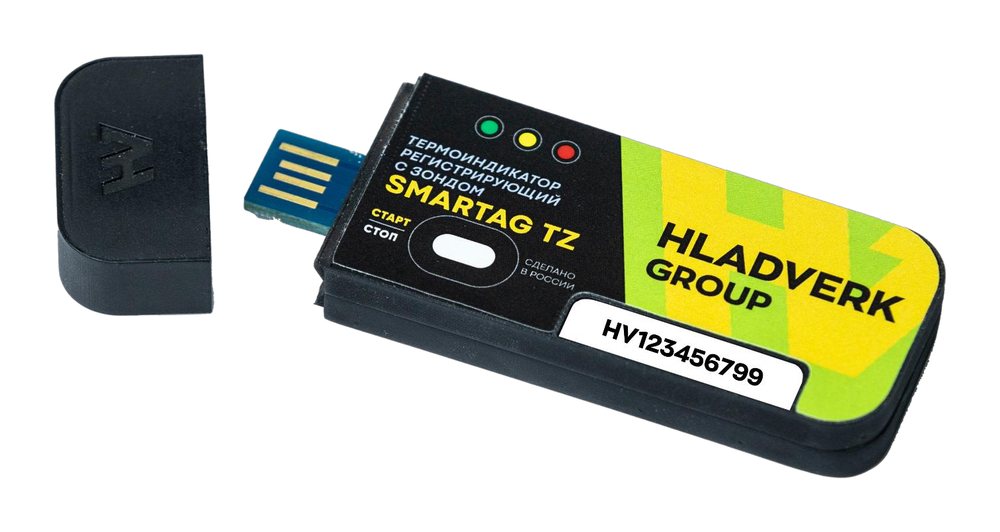
When you need a probe
- Refrigerators and freezers: the device outside, the probe inside — no need to open the door to see the LEDs.
- Product temperature: the probe in a product simulator or packaging, the second channel in the air nearby.
- Two points with one device: for example, top and bottom of a chamber, or cargo and air in a thermal container.
- Liquids: a probe in a sealed steel sleeve for non-aggressive liquids (see Smartag Zond).
Specifications
| Temperature measurement range | −30 to +70 °C |
| Maximum permissible error, temperature | ±0.5 °C from −30 to +40 °C inclusive; ±0.7 °C above +40 to +70 °C |
| Relative humidity measurement range | 5 to 95 % |
| Maximum permissible error, humidity | ±5 % |
| Sensor | external digital on a cable with connector — Smartag Zond probe |
| Temperature measuring points | two |
| Probe length | 120 to 500 mm |
| Memory | 45,000 values |
| Logging interval | configurable |
| Use | reusable |
| Connection | USB |
| Verification interval | 1 year |
| Verification procedure | MP-779/01-2024 |
| Operating conditions | −30…+70 °C, 84–106.7 kPa, humidity 5–100 % non-condensing |
| Dimensions and weight | max. 89 × 52 × 40 mm, max. 55 g |
| Average service life | at least 5 years |
| User software | Smartag User, in Russian and English |
| Instrument type | Smartag recording temperature indicators, State Register No. 91745-24 |
| Manufacturer | Hladverk Group LLC |
How to use
- Set up
Connect the device to a computer and set the logging interval, thresholds and delayed start in the software.
- Start
Press Start or wait for the delayed start — the LEDs confirm that logging is on.
- Logging
The device records values at the set interval; the LEDs show whether a threshold was exceeded.
- Report
Connect to USB and save the report and data; record the serial number in the log.
- Next cycle
Clear the memory and start again — the device is reusable. Keep track of the verification date.
Route the probe cable through the door seal so as not to break the seal or pinch the cable. Choose the probe length (120–500 mm) for the installation point when ordering.
Frequently asked questions
How many points does Smartag TZ measure?
Temperature at two points; with a temperature and humidity probe, also relative humidity.
What is the probe length?
From 120 to 500 mm, chosen when ordering.
How often is Smartag TZ verified?
Every year.