Software
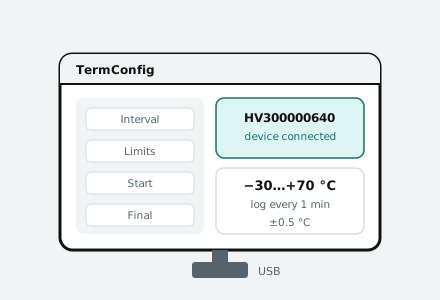 TermConfigsetting up Smartag temperature indicators and data loggers before use
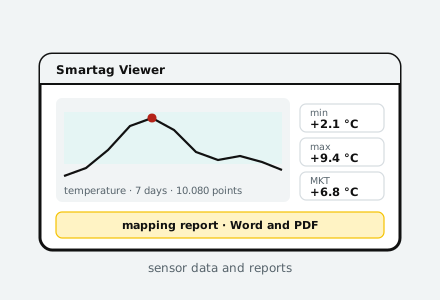 Smartag Viewersensor data: charts, statistics and mapping protocols
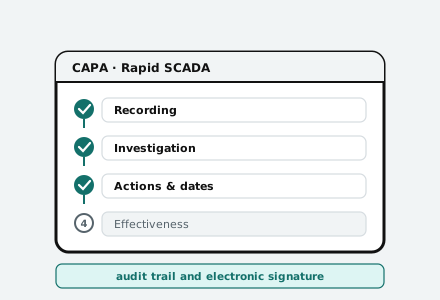 CAPA Module for Rapid SCADAcorrective action records kept next to the data that triggered them
| Software | Purpose | How to get it |
|---|---|---|
| TermConfig | configure a Smartag device before recording: interval, limits, delayed start | download the installer |
| Smartag Viewer | process device data and compile a mapping protocol | download the installer |
| CAPA Module for Rapid SCADA | manage corrective and preventive actions alongside monitoring data | supplied as part of the system; description and user guide available here |
This section is being expanded. If the software you need is not listed yet or you have an old version, write to info@hladverk.ru and we will send you the current file.
Before installation
| Operating system | Windows 10 or 11, 64-bit |
| Permissions | administrator rights are required for installation |
| Antivirus | the installer may ask for confirmation: the software installs a driver to communicate with the device via USB |
| Cable | connecting devices requires a full USB cable with data lines, not a charge-only cable |
| Computer clock | check the date, time and time zone before configuring devices: these values end up in the reports |
You may also need
- Verification certificatesearch by device serial number
- Monitoring system softwareweb interface, reports, mobile app
- Service, verification and calibrationmaintenance of devices and systems
- Knowledge basearticles on mapping, storage and regulations
Frequently asked questions
Is the software paid?
Software for working with our devices is provided free of charge to owners of these devices. The CAPA module and other server components are part of the monitoring system or are supplied as an add-on — the price depends on the scope of configuration.
Why is the download button inactive?
It means the file has not been uploaded yet. We deliberately do not publish links that lead nowhere. Write to info@hladverk.ru and we will send you the file directly.
Where can I find the manual for the device rather than the software?
The operating manual and the device passport are supplied with the device. If they have been lost, request them by email, stating the serial number: copies can be reissued.
How do I find out which version of the software I have installed?
In the software itself, under the “About” menu item. If your version is older than the one published here, install the new one over it: your settings will be kept.
Does the software work without internet access?
TermConfig and Smartag Viewer do — they work with the device and files locally. The CAPA module works in a web browser and requires access to the monitoring system server — this can be a local network without internet access.